
Phone Screen Coming Away From the Frame? Causes and Repair Options
Introduction
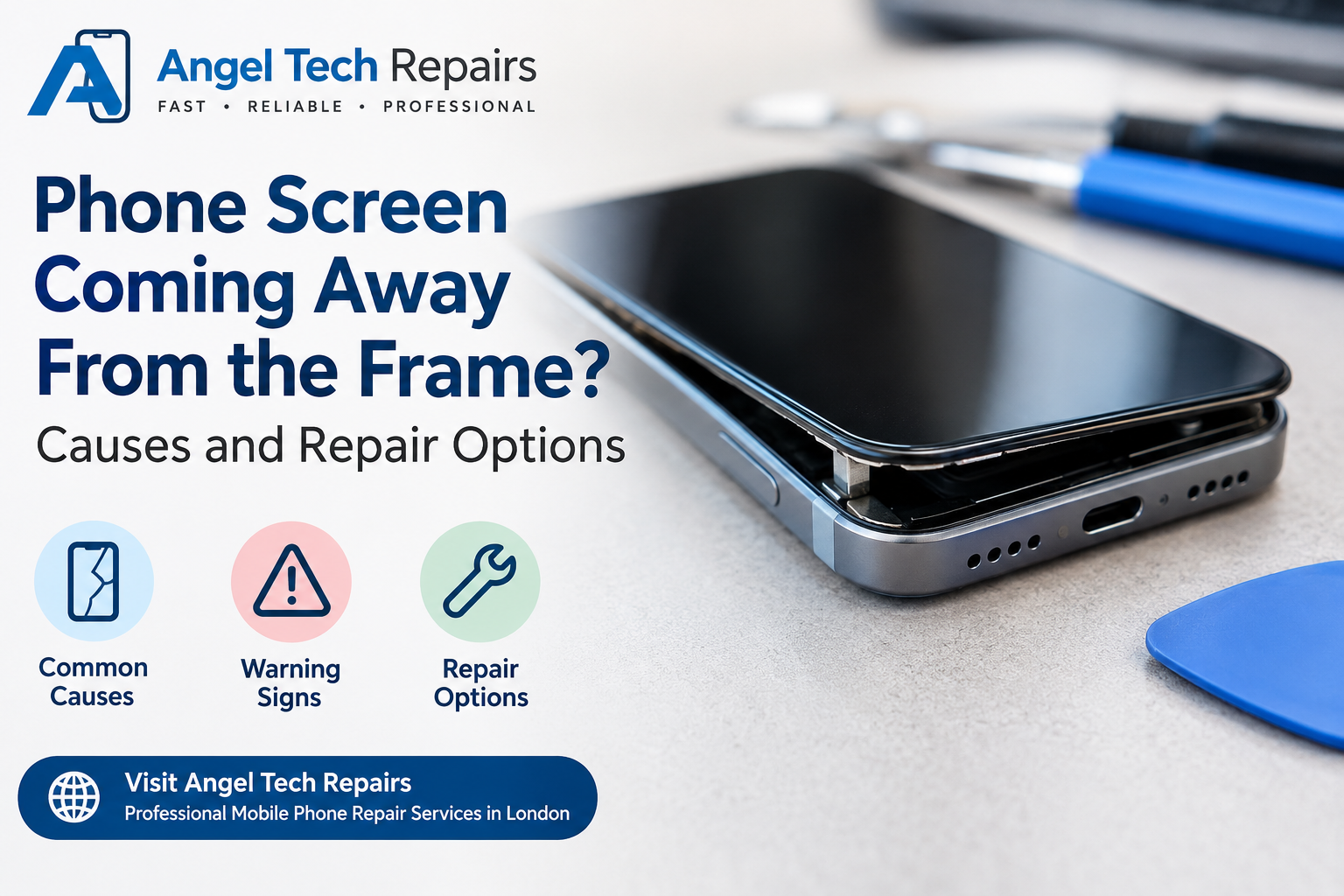
A smartphone screen should sit firmly against the frame without gaps, lifting edges, or loose corners. If you notice your phone screen coming away from the frame, it is a problem that should not be ignored. Even a small gap can allow dust, moisture, and other particles to enter the device, potentially causing further damage.
A screen separating from the phone body can happen for several reasons, including adhesive failure, accidental drops, battery swelling, or previous repair work. While the problem may initially appear minor, it can affect your phone’s safety, performance, and overall condition.
In this guide, we will explain the common reasons why a phone screen starts lifting, the warning signs to look for, and the available repair options.
1. Common Reasons Why a Phone Screen Comes Away From the Frame
There are several reasons why a smartphone display may begin separating from its frame. Identifying the underlying cause is important before choosing a repair solution.
Weak or Damaged Screen Adhesive
Smartphone manufacturers use specialised adhesive to secure the display to the frame. Over time, this adhesive can lose its strength due to heat, ageing, or general wear and tear.
When the adhesive becomes weak, the screen may start lifting around the edges or corners. This is particularly common on older devices or phones that have previously undergone screen replacement.
Battery Swelling
One of the most serious reasons for screen separation is a swollen battery. Smartphone batteries can expand due to ageing, internal damage, overheating, or charging-related problems.
As the battery expands, it can push against the display from underneath, causing the screen to lift away from the frame.
Important: If you suspect battery swelling, stop using and charging the phone. Do not press the screen back into place or attempt to puncture the battery. Arrange a professional inspection as soon as possible.
Accidental Drops and Physical Damage
Dropping your phone onto a hard surface can damage its frame, display, or internal mounting points. Even if the screen does not crack, the impact may loosen the adhesive or slightly bend the frame.
As a result, the screen may no longer fit securely against the phone body.
Previous Screen Replacement
If your phone has recently undergone a screen replacement, poor installation may be responsible for the separation.
Incorrect adhesive application, unsuitable replacement parts, or improper fitting can prevent the display from sitting correctly. In some cases, the problem may appear several days or weeks after the repair.
Excessive Heat Exposure
Smartphones generate heat during intensive activities such as gaming, video recording, and prolonged charging. Leaving a device in direct sunlight or a hot environment can also contribute to excessive temperatures.
Repeated exposure to high temperatures may weaken the adhesive holding the display in place, increasing the possibility of screen separation.
2. Warning Signs That Your Phone Screen Is Separating
Sometimes, screen separation develops gradually. Recognising the early symptoms can help prevent additional damage.
Look out for these common warning signs:
- Visible gaps: Small spaces appear between the screen and the phone frame.
- Lifting corners: One or more corners of the display begin to rise.
- Loose screen edges: The display moves slightly when the phone is handled.
- Dust around the edges: Dust and small particles collect inside the growing gap.
- Display pressure marks: Unusual bright spots or changes appear on the screen.
- Unexpected screen movement: The display feels loose instead of sitting firmly in place.
If you notice any of these symptoms, avoid applying pressure to the display. A professional inspection can determine whether the issue is related to adhesive failure, frame damage, or battery swelling.
3. Repair Options for a Phone Screen Coming Away From the Frame
The right repair depends on what is causing the screen to separate. A technician should inspect the battery, display, frame, and adhesive before recommending a solution.
Professional Screen Reattachment
If the screen is in good condition and the problem is caused by weak adhesive, professional reattachment may solve the issue.
The repair process generally involves:
- Carefully removing the display.
- Cleaning away old adhesive residue.
- Inspecting the frame for damage.
- Applying suitable replacement adhesive.
- Repositioning and securing the display correctly.
This option is usually suitable when the battery is healthy and the frame has not been bent or damaged.
Battery Replacement
If a swollen battery is pushing the screen away from the frame, replacing the battery is essential.
A technician will inspect the battery and replace it with a suitable new unit. The screen can then be checked to determine whether it can be safely refitted or needs replacement.
Simply applying new adhesive without addressing a swollen battery will not provide a lasting solution.
Screen Replacement
Sometimes, the display itself becomes damaged during an accidental drop or after prolonged pressure from a swollen battery.
If the screen has developed cracks, dead pixels, coloured lines, or touchscreen problems, a complete screen replacement may be necessary.
A professional technician can help select a compatible replacement display for your smartphone model.
Frame or Housing Repair
A bent or damaged phone frame can prevent the display from fitting correctly. Even new adhesive may not hold properly if the frame is significantly distorted.
Depending on the severity of the damage, the technician may recommend frame repair or complete housing replacement.
4. Can You Fix a Phone Screen That Is Lifting at Home?
It may be tempting to use household glue, double-sided tape, or pressure to push the screen back into place. However, these methods can create additional problems.
Here is what you should avoid:
- Do not use superglue: It can damage display components and make future repairs difficult.
- Do not press the screen down: Pressure may crack the display or damage an expanding battery.
- Avoid opening the phone yourself: Internal components and battery connections can be damaged during improper disassembly.
- Do not ignore battery swelling: A damaged lithium-ion battery can present a fire risk.
- Avoid water exposure: A separated screen may no longer have its original protective seal.
If the screen is visibly bulging, the phone is unusually hot, or battery swelling is suspected, switch it off if safe to do so, stop charging it, and arrange professional assistance. Do not attempt to repair or transport a hot, smoking, or hissing device yourself.
Professional repair is generally the safest option because technicians can identify the actual cause before replacing or resealing any components.
Asurion+2
5. How to Prevent Your Phone Screen From Separating Again
Although some screen problems are unavoidable, a few simple habits can help reduce the risk of future damage.
Avoid excessive heat: Keep your smartphone away from direct sunlight and extremely hot environments.
Use a protective case: A suitable case can reduce the impact of accidental drops and protect the phone’s frame.
Choose quality repair services: Always use experienced technicians and compatible replacement parts when repairing your device.
Monitor battery condition: Pay attention to unusual heating, unexpected battery performance changes, or physical swelling.
Avoid unnecessary pressure: Do not keep your phone in tight pockets or place heavy objects on it.
Get small gaps inspected early: Early inspection can help prevent further damage to the display and internal components.
6. Why Professional Phone Repair Matters
A phone screen coming away from the frame is not always a simple adhesive problem. The issue could involve the battery, damaged housing, display assembly, or an earlier repair.
Choosing a professional repair service helps ensure that the underlying problem is properly identified. An experienced technician can inspect the device, explain the available options, and recommend a suitable repair without replacing parts unnecessarily.
At Angel Tech Repairs, customers can explore professional mobile phone repair services in London. Whether your device has a loose screen, a damaged display, or another hardware issue, getting the problem checked by a qualified technician can help prevent further complications.
7. Frequently Asked Questions
Why is my phone screen coming away from the frame?
Common causes include weakened adhesive, a swollen battery, accidental drops, a bent frame, or incorrect installation during a previous screen repair. The battery should be checked first to rule out a potential safety issue.
Can I continue using my phone if the screen is lifting?
It is best to stop using and charging the phone until it has been inspected, particularly if battery swelling is possible. A visibly bulging or unusually hot device should be treated as a safety concern.
Does a lifting phone screen always need replacement?
No. If the display is undamaged and the battery and frame are in good condition, professional reattachment with suitable adhesive may be enough.
How much does it cost to repair a phone screen that is separating?
The cost depends on the phone model and the cause of the problem. Adhesive replacement is generally different in cost from battery, display, or frame replacement. A technician should inspect the device before providing an accurate estimate.
Can a swollen battery push the phone screen out?
Yes. A swollen battery can expand inside the phone and push the display away from its frame. This requires prompt professional attention and battery replacement.
Will my phone remain waterproof after screen reattachment?
Not necessarily. Opening a smartphone can compromise its original water-resistance seals. Proper replacement adhesive and sealing procedures may help restore some protection, but water resistance should not be assumed after repair.
Conclusion
A phone screen coming away from the frame is a problem that deserves attention. While weakened adhesive may be responsible, battery swelling, physical damage, and poor previous repairs can also cause screen separation.
The most important step is identifying the underlying issue before attempting to secure the display again. Avoid household glue and unnecessary pressure, and seek professional assistance if you notice any signs of battery swelling.
With the correct repair, you may be able to restore your phone’s appearance, secure its display, and avoid more expensive damage in the future.
For professional assistance with mobile phone screen problems, visit Angel Tech Repairs and explore the available phone repair services in London.