
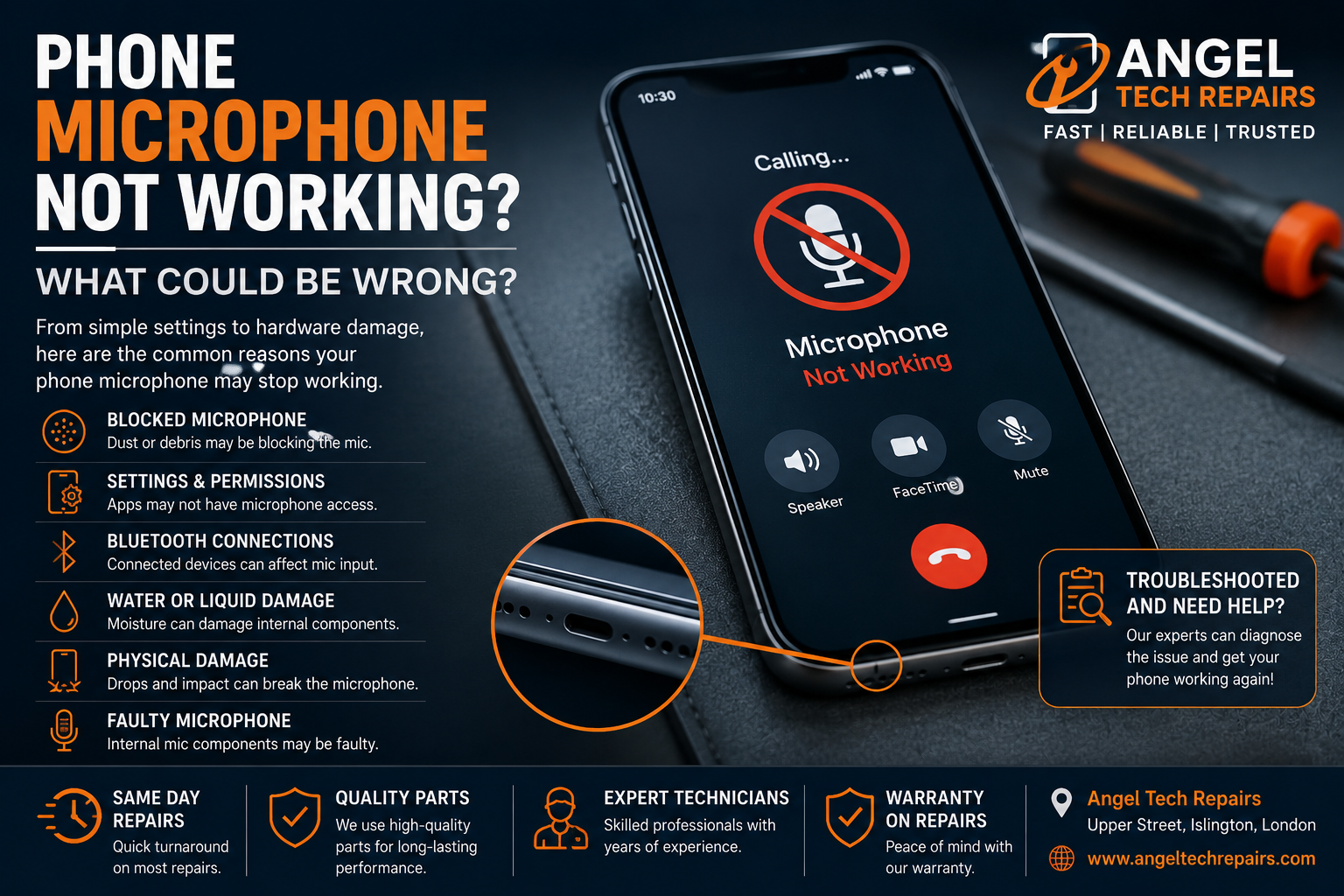
Phone Microphone Not Working? What Could Be Wrong?
Introduction
When your phone microphone stops working, even simple things like making a phone call, sending a voice message, recording a video, or using voice commands can become frustrating.
You may notice that people cannot hear you during calls, your voice recordings are silent, or apps are unable to pick up your voice properly. In some cases, the microphone problem can be caused by a simple software or settings issue. In other situations, the microphone itself may need professional repair.
So, what could be wrong?
Let’s look at some of the most common reasons why your phone microphone may not be working and what you can do about it.
1. The Microphone Opening Could Be Blocked
One of the simplest explanations is also one of the easiest to overlook.
Your phone’s microphone openings can collect dust, lint, dirt, or other debris over time. If the opening becomes blocked, your voice may sound extremely quiet or muffled to the person on the other end of a call.
Check the microphone openings on your phone for visible debris.
If you clean the area, be careful. Avoid pushing objects into the microphone opening, as this could damage the internal components.
2. Your Phone Case Could Be Blocking the Microphone
A poorly fitted or damaged phone case can sometimes cover part of the microphone opening.
Try removing the case and making a test call or recording.
If the microphone works normally without the case, you may simply need to replace the case with one designed specifically for your phone model.
3. An App May Not Have Microphone Permission
If your microphone works in some situations but not in a particular app, permission settings could be responsible.
For example, your phone may allow microphone access for calls but prevent an individual app from accessing it.
Check your phone’s privacy and app permission settings and make sure the affected application has permission to use the microphone.
This can be particularly important if the microphone works for normal calls but doesn’t work when using messaging, social media, video calling, or recording apps.
4. A Software Glitch Could Be Causing the Problem
Phones occasionally experience temporary software problems that can affect individual features.
A microphone that suddenly stops working could be affected by:
- A temporary operating system glitch
- An app conflict
- A recent software update
- An application that has stopped responding correctly
- Background software problems
Try restarting your phone and testing the microphone again.
If the problem started immediately after installing an app or updating your phone, this information can also help identify the cause.
5. Check Whether the Problem Affects Every App
An important troubleshooting step is to determine whether the microphone problem is universal or limited to one application.
Try several different functions:
- Make a normal phone call
- Record a voice memo
- Record a video
- Send a voice message
- Try a video call
If the microphone works in one application but not another, the problem is more likely to involve software or permissions.
If the microphone doesn’t work anywhere, a hardware problem becomes more likely.
6. Bluetooth Could Be Affecting Your Audio
If you have Bluetooth headphones, earbuds, a car system, or another audio accessory connected, your phone may be using another microphone instead of its built-in microphone.
Turn Bluetooth off temporarily and test the phone again.
If the microphone starts working after disconnecting your Bluetooth device, the issue may not actually be with your phone’s built-in microphone.
7. Water or Liquid Damage Could Be the Cause
Liquid damage is another common reason for microphone problems.
Your phone may continue working after being exposed to water while individual components begin experiencing problems.
If your phone’s microphone stopped working after:
- Being dropped in water
- Getting caught in heavy rain
- Having liquid spilled on it
- Being used in a very humid environment
don’t assume the problem will fix itself.
Liquid can cause corrosion and damage internal components over time. Professional inspection is recommended, particularly if other features of the phone are also behaving unusually.
8. Your Phone May Have Suffered Physical Damage
Has your phone recently been dropped?
A hard impact can damage internal components even when the screen appears perfectly fine.
If the microphone stopped working after a drop or other impact, there could be damage to the microphone component, internal connections, or other parts of the phone.
In this situation, software troubleshooting may not solve the problem because the underlying issue is physical.
9. The Microphone Component Could Be Faulty
Like any other electronic component, a phone microphone can eventually fail.
A faulty microphone may produce symptoms such as:
- People can’t hear you during calls
- Your voice sounds extremely quiet
- Recordings contain no sound
- Voice messages are silent
- Your voice cuts in and out
- Audio sounds distorted or muffled
If you’ve already checked permissions, restarted the phone, removed the case, disconnected Bluetooth, and tested multiple apps, a hardware fault may be the next possibility to investigate.
10. There Could Be More Than One Microphone
Many modern smartphones contain multiple microphones that are used for different functions.
For example, one microphone may be involved in normal calls while another can assist with video recording or noise cancellation.
This means your phone could have a microphone-related hardware problem without every audio function behaving exactly the same way.
If one feature works while another doesn’t, professional diagnosis can help identify which component is causing the problem.
Should You Repair or Replace Your Phone?
A microphone problem doesn’t automatically mean you need a new phone.
If the rest of the device is working well, repairing the microphone or the affected component may be a much more practical option than replacing the entire phone.
The right decision depends on factors such as:
- The age of your phone
- The model and value of the device
- The cause of the microphone problem
- Whether there is additional damage
- The cost of the repair
- The overall condition of the phone
A professional technician can diagnose the problem and explain your repair options before you decide what to do.
Don’t Try Risky DIY Repairs
It can be tempting to open your phone and attempt to repair the microphone yourself, especially after watching an online repair video.
However, modern smartphones contain extremely small and delicate components. Opening the device incorrectly can cause additional damage and may affect other features.
If the microphone problem is caused by internal damage, professional diagnosis is usually the safer approach.
When Should You Take Your Phone to a Repair Specialist?
Consider getting professional help if:
- Your microphone doesn’t work in any app
- People cannot hear you during calls
- Your voice recordings are silent
- The microphone stopped working after a drop
- Your phone has suffered liquid damage
- You’ve tried basic troubleshooting without success
- The microphone works intermittently
- Your phone has other hardware problems at the same time
A technician can inspect the device and determine whether the problem is related to software, permissions, physical damage, or a faulty component.
Final Thoughts
A phone microphone that isn’t working can be caused by something as simple as a blocked microphone opening, an incorrect permission, a Bluetooth connection, or a temporary software problem.
However, if basic troubleshooting doesn’t solve the issue—especially if the phone has been dropped or exposed to liquid—the microphone or another internal component may need professional attention.
Before spending money on a replacement phone, it’s worth finding out whether your existing device can be repaired.
If you need professional phone repair in London, Angel Tech Repairs can help diagnose problems with smartphones and advise you on the appropriate repair solution.
Having microphone problems with your phone? Contact Angel Tech Repairs to get your device checked by a professional.